How to Protect Corporate Data: Wiping Stolen Or Lost Android Phones Remotely
In 2006, British mathematician and data science entrepreneur Clive Humby coined the phrase, “Data is the new oil.” For the next 16 years, enterprises drilled and extracted incalculable amounts of data to identify business opportunities, better serve customers, sell more, and improve operations. The proliferation of the internet and smartphones has taken this data-driven culture to the next level. Employees can now use mobile devices and apps to access company information anytime from anywhere.
This raises an inevitable question: how will enterprises support employees using smartphones or tablets while protecting corporate data? Various mobile device management (MDM) solutions with varying monitoring capabilities can find, lock or erase Android smartphones or tablets–company-owned or BYOD (bring your own device).
Remote Wipe on BYOD
BYOD is the use of employee-owned devices to access enterprise content or networks. The trend has accelerated in recent years due to remote work. BYOD, at least in part, is desirable because of its legitimate benefits to companies. It saves costs from initial device purchases to ongoing usage and IT helpdesk support. Furthermore, implementing BYOD programs has increased IT cost savings and employee productivity. According to Frost & Sullivan, using mobile devices for work tasks saves employees 58 minutes daily while increasing productivity by 34%.
BYOD may seem like a win-win concept, but important considerations must be made before making it a workable solution for employers and employees. What if a personal device is stolen? It poses a security risk since bad actors can access company data in emails and apps. Android MDM solutions can be deployed to set work profiles on Android devices to protect the data.
A work profile can be set on Android (5.0 and later) devices to separate work apps and data from personal apps and data. This is possible with containerization, the logical separation of a mobile device into two virtual containers: personal and work, using the same Android OS. Once a work profile is set on an employee’s device, the organization can automatically install, update, and remove work apps. The work apps appear in the ‘work’ tab in the app drawer.
With containerization, the IT department of a company can manage work-related email, apps, settings, and data present in the work container. Should an employee misplace the device, all apps and data within the work profile can be eliminated from afar in certain situations. Of course, BYOD isn’t all about protecting company data but about keeping personal employee data private and away from others, including IT.
MDM solutions can turn a company’s privacy policy into privacy settings to hide a smartphone or tablet’s location and software information. Organizations have no control over the personal profile and cannot access private information, such as:
- Personal emails, contacts, and calendars
- App data and text messages
- Call history or voicemails
Remote Wipe on Company-Owned Devices
BYOD isn’t the only program under an organization’s mobility policy. A company-owned device can either be set up exclusively for work use (company-owned, fully managed) or with some personal use allowed (a company-owned device with a work profile). A company-owned, fully managed device, also referred to as a dedicated device, is locked into one or more apps to serve a single business function. Point-of-sale terminals in retail stores or self-ordering kiosks in quick-service restaurants are examples of dedicated devices.
Although Android offers an app pinning feature, it isn’t designed to create a focused lockdown environment. It lacks the data protection and privacy features necessary to operate Android devices in a commercial setting. In Android Enterprise, device management is highly encouraged to lock down such dedicated devices, enabling organizations to extend device security policies.
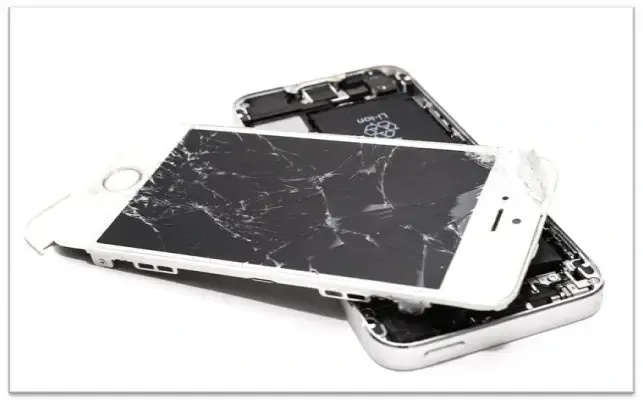
Security policies prevent users from exiting apps and accessing a device’s home screen. Some dedicated devices are unattended, leaving them vulnerable to loss and theft. Organizations can leverage the location services features in MDM to identify the location of a lost device. If the device can’t be found, IT departments can remotely lock it and wipe the data from the dedicated device.
Wrapping Up
When a smartphone or tablet is stolen, or an employee leaves a company, an enterprise must ensure that company app data is completely removed from the mobile device. A lost device means loss of information. This can be problematic in highly regulated industries, such as healthcare or legal affairs. If the missing device is employee-owned, personal data should remain untouched. To selectively wipe corporate data from Android devices, MDM solutions can immediately clean work containers without violating any privacy issues. After the device has been wiped, IT, HR, or the appropriate department should follow up with the employee who owned the device to ensure that they understand what has happened and that they have taken steps to secure any other devices that may have been lost or stolen.