Consistency Over Luck: Refining the AI Video Production Pipeline
The early phase of generative video was defined by a “slot machine” mentality. Creators would enter a prompt, pull the lever, and hope the resulting four seconds of motion didn’t involve a person melting into a chair. It was exciting, but it wasn’t a workflow. For creators and marketers who need to produce high-quality assets on a schedule, luck is a poor strategy. Transitioning from experimental prompting to a repeatable production pipeline requires a shift in how we view the AI Video Generator. It is no longer just a magic box; it is a specialized tool that requires specific inputs, constraints, and post-production refinement.
To build a professional-grade workflow, one must move past the novelty of short, disconnected clips. The goal is to achieve visual consistency, narrative flow, and brand alignment—three areas where generative tools traditionally struggle. By treating the AI as one component of a larger assembly line, creators can minimize waste and maximize output quality.
The Foundation: Why Text-to-Video Isn’t Always the Answer
Most beginners start with Text-to-Video (T2V). While T2V is impressive for conceptualizing ideas, it offers the least amount of control over composition and character consistency. If you ask for a “woman walking through a neon-lit street,” the AI decides the character’s face, the clothing, the architectural style of the street, and the lighting. If you need a second shot of that same character, the AI Video Generator will likely create a completely different person.
The most successful creators are building systems using a reliable AI Video Generator that allows for iterative testing. Instead of relying on text alone, the industry is moving toward an Image-to-Video (I2V) or “First Frame” workflow. In this model, you generate a high-quality static image first—using tools like Flux or Midjourney—to lock in the character design, lighting, and composition. Once the visual “truth” of the scene is established, you pass that image into the video engine. This ensures that the character doesn’t fundamentally change between shots, providing a level of continuity that text prompts simply cannot guarantee.
The Image-to-Video (I2V) Advantage
Using I2V allows for a modular approach. You can spend time perfecting the aesthetic of a single frame without burning through video generation credits. This is particularly useful for brand-sensitive work where the color palette and product placement must be exact.
When you use an I2V approach, your prompt for the video generation changes. You are no longer describing the *subject*; you are describing the *motion*. Instead of saying “a golden retriever running in a park,” your prompt becomes “the camera tracks forward as the dog runs toward the lens, ears flapping.” By separating the “what” (the image) from the “how” (the motion), you gain a degree of creative direction that mimics traditional cinematography.
Managing Temporal Friction and Model Limitations
Despite the rapid advancement of these tools, we must be honest about their current limitations. One of the most significant hurdles is temporal coherence—the ability of the AI to maintain the shape and logic of objects over time. We have all seen videos where a person’s hands morph into a third arm or a car suddenly grows a second set of wheels.
Currently, AI models struggle with complex human locomotion and fine motor skills. If your script requires a character to tie their shoelaces or perform a complex dance, you are likely to face significant “hallucinations.” In these instances, the limitation of the technology dictates the creative direction. Instead of fighting the model to produce a perfect wide shot of a person walking, many operators pivot to close-up shots or slow-motion sequences where the physics are less likely to break. Accepting that certain types of movement are currently “high-risk” saves hours of frustration and wasted resources.
Building the Multi-Model Pipeline
Not all models are created equal. Some excel at cinematic lighting and photorealism, while others are better at fluid, high-energy motion. Platforms like MakeShot have recognized this by providing a unified interface for multiple engines, such as Kling, Google Veo, and Runway.
When moving from a concept to a final render, the choice of AI Video Generator becomes a matter of matching the model’s specific motion strengths to the project’s needs. For example, if you are creating a slow-paced, atmospheric b-roll shot for a luxury brand, you might prioritize a model known for its aesthetic “film look.” If you are creating a dynamic social media ad, you might opt for a model that handles aggressive camera movements more gracefully.
Matching Model Strengths to Scene Requirements
A common mistake is sticking to a single model for an entire project. A professional workflow often involves “model hopping.” You might use one engine for your wide landscape shots and another for your character-driven close-ups. This requires a central hub where you can compare outputs side-by-side.
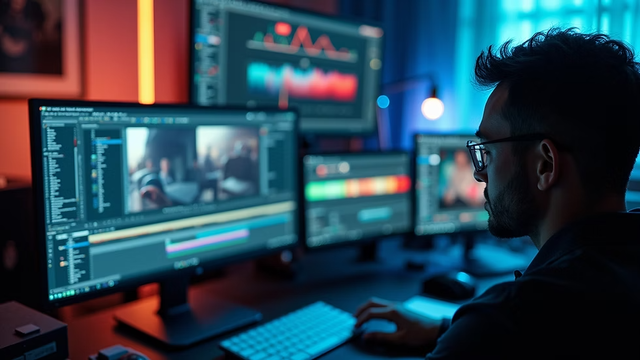
The logistical challenge here is maintaining a unified look across different engines. This is where post-production becomes essential. By applying a consistent color grade (LUT) and film grain in software like DaVinci Resolve or Premiere Pro, you can bridge the gap between different AI outputs, making them feel like they were shot on the same camera.
The Unpredictability of Physics and Movement
Another moment of uncertainty involves the AI’s understanding of “weight.” Standard video generators often treat objects as if they have no mass. A heavy crate hitting the floor might bounce like a balloon, or water might flow in ways that defy gravity.
There is currently no “physics toggle” in most generative tools. Creators must often generate three to five versions of the same motion prompt to find one where the physics feel grounded. This unpredictability is a major bottleneck for teams trying to hit tight deadlines. It underscores the importance of “buffer time” in AI production; you cannot assume that a 10-second shot will take 10 seconds to generate. It might take 30 minutes of iterative prompting to get a usable result.
Standardizing the Creative Operations
For agencies and marketing teams, the goal is “Creative Ops”—turning the artistic process into a repeatable system. This involves creating a prompt library, or “style sheets,” that define how specific brand elements should be handled.
- Seed Management: In many AI Video Generator tools, the “seed” number determines the initial noise pattern. By locking the seed, you can make small tweaks to a prompt without the entire scene changing.
- Resolution and Aspect Ratio: Standardizing these early avoids upscaling artifacts later. Always generate in the target aspect ratio (9:16 for social, 16:9 for cinematic) rather than cropping.
- Negative Prompting: This is the process of telling the AI what not to include. Common negative prompts include “blurry,” “deformed,” “morphing,” and “text.” Mastering negative prompts is often more important for consistency than the positive prompt itself.
Post-Production: The Final 20% That Matters
The “AI feel” that many people complain about often stems from a lack of post-production. Raw AI video can look too clean, too smooth, or slightly “uncanny.” To make these clips look professional, they need to be treated like raw footage from a camera.
Upscaling and Sharpening
Most AI Video Generator models currently output at 720p or 1080p. While this is sufficient for mobile, it falls apart on larger screens. Using a dedicated AI upscaler can add the necessary detail and texture to make a shot feel high-resolution. However, over-sharpening can lead to a “plastic” look, so it must be used with caution
Frame Rate Interpolation
Many generative models produce video at 24 or 30 frames per second. If you need a hyper-smooth slow-motion effect, you may need to use tools that generate “in-between” frames. Conversely, for a more cinematic feel, adding a slight motion blur can hide some of the micro-stuttering that occurs in AI-generated motion.
Sound Design
Video is only half the experience. Since AI video is currently “silent,” the creator must build the soundscape from scratch. Foley, ambient noise, and a well-mixed soundtrack are what ultimately sell the illusion. A clip of a forest looks like a tech demo until you add the sound of rustling leaves and birds; then, it becomes a story.
The Human in the Loop
The most critical component of the pipeline isn’t the AI—it’s the editor. The role of the “creator” has shifted from the person who makes the pixels to the person who curates them. It requires a keen eye for what looks “right” and the discipline to discard 90% of the output to find the 10% that is truly great.
As the underlying models improve, the friction points will move. We will eventually see better character consistency and more reliable physics. But for now, the most effective creators are those who understand the limitations of their AI Video Generator and build their workflows to compensate for them. Consistency isn’t something the AI gives you for free; it’s something you engineer through a structured, multi-step process. By moving away from the “slot machine” and toward a modular pipeline, you turn generative video from a gimmick into a professional asset.