Animated Face Swaps: How to Make Your Pictures Come Alive
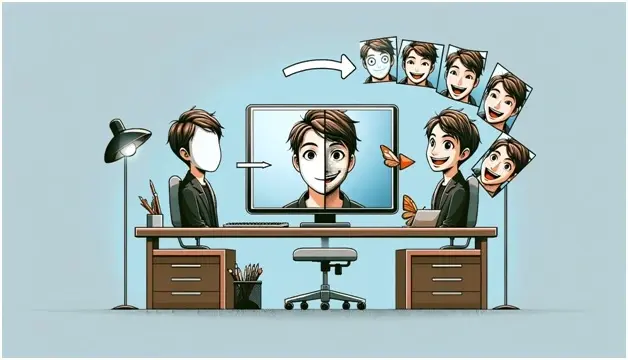
In digital creativity, animated face swaps have become popular. This fantastic technique involves swapping faces in photos or videos and making them move like in cartoons. People love sharing these animated face swaps on social media and other digital platforms.
The exciting part about animated face swaps is that they transform ordinary photos into lively animations, breathing life into them in captivating and entertaining ways. Whether morphing your face onto your favorite superhero in a video clip or sending a custom-animated greeting card that features your face, the possibilities are as boundless as anyone can imagine.
This article aims to guide you through the process, from creating your own animated GIFs to advanced tips and tricks to make your animated face swapping experience exciting.
Preparing for Your Animated Face Swap
Preparing for your animated face swap is a crucial step that ensures the success and quality of your final product.
Choosing the Right Images
Success in face swapping starts with selecting suitable images. The base image (where the face will be placed) and the face image must be compatible in terms of lighting, resolution, and angle for a realistic outcome. High-quality photos with precise frontal views of the face work best.
Essential Tools and Software
Numerous software options are available for animated face swaps. Popular apps like Adobe Photoshop and After Effects offer extensive features for professional-quality swaps. Simpler, user-friendly tools like Face Swap Live, Face Swapper, and Reface cater to casual users. Depending on your device, you may choose from various apps tailored for iOS, Android, PC, or Mac.
Step-by-Step Tutorial: Creating Your First Animated Face Swap
One of the leading tools to create an animated face swap is Faceswapper.ai. It is a powerful AI-driven platform designed to simplify the process of swapping faces in images and animating them.
Step 1: Preparing Your Images
Before you start, have a high-quality image for best results.
Step 2: Add Image to Faceswapper.ai
Now, go to faceswapper.ai/animated-face-swap in your web browser. Upload your source image and target the Gifs using the interface. You can also upload any gif in which you want your face swapped.
Step 3: Face Detection and Selection
Once your images are uploaded, Faceswapper.ai will automatically detect faces using its AIalgorithms. You’ll need to select which faces you want to swap if there are multiple faces.
Step 4: Initiating the Face Swap
With the faces selected, initiate the swap by clicking the “Swap Face Now’ button. FaceSwapper.ai will process the images, swapping the selected face from the source image for the target image.
Step 5: Previewing
Use the preview feature to see the animated face swap in action. This is crucial for identifying any issues or areas that need refinement.
Step 6: Exporting Your Animated Face Swap
Once you’re satisfied with the animation, the final step is to export the creation. FaceSwapper.ai will offer options for format (e.g., GIF, video file) and quality.
Then, Download the final product to your device. You may also have options to share it directly on social media.
Advanced Techniques and Creative Ideas
Here are some advanced techniques and creative ideas to make your animated face swapping great.
- Adjust the color balance and saturation to ensure skin tones match the face and body seamlessly.
- Apply artistic filters to give your face swap a unique style, such as a vintage look or a cartoonish effect.
- Please pay attention to the eyes and mouth, making sure they align correctly and move naturally.
- Layer additional elements like hair strands, glasses, or accessories to add depth and realism to the face swap.
- Use animated face swaps to create engaging content that stands out on platforms like Instagram, TikTok, and Snapchat.
- Develop short films or animations with face-swapped characters to tell stories in an innovative manner.
Conclusion
Animated face swaps offer a unique blend of creativity and technology, allowing anyone to bring static images to life in fun and engaging ways. Following the steps and guidelines outlined in this article, you can explore this fascinating technique responsibly and creatively.
Whether for personal enjoyment or to create content that captures the imagination of your audience, the world of animated face swaps is ripe with possibilities. We encourage you to share your creations and feedback, fostering a community of creativity and innovation.