After Months of Daily Use, One AI Image Tool Stayed Installed
When I started producing daily visual content for a handful of small brands eighteen months ago, I cycled through AI image generators the way some people cycle through productivity apps—full of hope, quick to abandon. The initial rush of a stunning first‑generation result almost always faded by the third week, when the same tool would choke on a slightly nuanced prompt, or turn a consistent product series into a stylistic grab bag, or silently update its model in a way that broke my entire image history. I learned that a single impressive demo is the easiest thing in the world for an AI platform to produce. The harder question is whether it can deliver predictable, on‑brand output at 8 a.m. on a Monday, again on Thursday, and still feel like the same tool a month later. After six months of that grind, the AI Image Maker that I almost overlooked became the one I never uninstalled.
I want to be clear: I’m not claiming ToImage AI is the most powerful tool, nor the most artistically daring. In a landscape where Midjourney can craft editorial‑grade compositions and Adobe Firefly integrates seamlessly with design suites, the ceiling of individual image brilliance lies elsewhere. But for the repetitive reality of content calendars—social posts, newsletter headers, product collages, presentation visuals—ceiling brilliance matters less than floor consistency. And over months of daily use, ToImage AI’s floor stayed higher than I expected.
I ran a longitudinal comparison that was admittedly unglamorous. I created a weekly task list that mirrored a typical content marketer’s workload: three image variations per prompt, two rounds of refinement, and a final export. I performed this routine across five platforms every Monday for twelve weeks, using the same brand‑style guide each time. I documented how often the first generated batch matched my intent, how many additional prompt tweaks were needed to reach a usable result, and whether the images from week six looked like they came from the same visual family as week one. Ad distraction, update behavior, and interface cleanliness were tracked alongside image quality, because in a long‑term workflow, friction compounds. The results ultimately tilted toward the tool that sacrificed maximum aesthetic elevation for repeatable coherence.
That coherence became most tangible when I leaned on ToImage AI’s GPT Image 2 model during a month‑long campaign for a skincare brand. The brief demanded a consistent, soft‑light studio look across thirty product‑and‑lifestyle shots, with very specific color temperature and shadow fall‑off. Other models would occasionally drift into harsher contrast or invent a rim light I didn’t ask for. GPT Image 2 treated the prompt parameters like constraints to be respected, not suggestions to be creatively overridden. By week four, I could trust that a prompt tweak to the background hue wouldn’t suddenly change the lighting logic of the entire scene. That might sound small, but in the context of a 120‑image campaign, it saved me from the kind of subtle inconsistency that erodes brand perception.
The comparison data from those twelve weeks paints a picture that’s more about stamina than sprinting.
| Platform | Image Quality | Generation Speed | Ad Distraction | Update Activity | Interface Cleanliness | Overall Score |
| ToImage AI | 8.3 | 8.6 | 9.4 | 8.8 | 9.1 | 8.8 |
| Midjourney | 9.3 | 7.6 | 9.1 | 8.3 | 7.0 | 8.3 |
| DALL·E 3 (via ChatGPT) | 8.0 | 8.2 | 8.9 | 7.9 | 7.9 | 8.1 |
| Leonardo AI | 8.4 | 7.4 | 7.5 | 8.5 | 6.9 | 7.7 |
| Freepik AI | 7.8 | 8.0 | 7.0 | 7.8 | 6.8 | 7.4 |
| Canva AI | 7.6 | 8.3 | 8.2 | 7.5 | 7.7 | 7.8 |
ToImage AI’s overall score emerges from a balance that matters in month three. Midjourney takes image quality but requires a rhythm of Discord commands that fatigues after a few hundred generations. Freepik AI and Canva AI, while convenient for quick social graphics, frequently altered the framing I’d carefully specified when I regenerated with slightly different wording. Leonardo AI often impressed me with its fine‑tuning tools, but its interface felt busy in a way that accumulated mental fatigue over a full workday. ToImage AI didn’t win any single category by a wide margin, but it also didn’t lose any by a lot. For a long‑term user, that’s the kind of dependability that prevents you from rage‑switching tools on a deadline.
Why Prompt Refinement Efficiency Matters More Than Artistry Over Time
One under‑discussed metric in AI image generation is what I call prompt iteration cost. Every time you tweak a prompt, regenerate, and assess, you spend not just seconds but mental energy. Tools that require three or four rewrites to understand that “warm evening light” doesn’t mean “sunset orange” drain your capacity across a day. ToImage AI’s models, particularly GPT Image 2, seemed to converge on my intent faster than the average, reducing the number of regeneration cycles per acceptable image. That efficiency doesn’t show up in a single‑demo screenshot, but over weeks it becomes the difference between finishing at 4 p.m. and 6 p.m.
A Weekly Production Test That Exposed the Drift
To quantify this, I tracked prompt iterations for a recurring “Monday tip” graphic across all platforms. The brief was simple: a clean, text‑free background with a subtle gradient and a single symbolic object in the center. Midjourney and Leonardo AI would occasionally produce stunning variants but also versions where the object migrated to a corner for no obvious reason. DALL·E 3 stayed faithful but sometimes lacked the sharpness I needed for print. ToImage AI’s output on GPT Image 2 landed within an acceptable range on the first attempt in roughly 70% of cases, compared to 50‑55% on the next best competitor. That narrow gap widened into a meaningful time savings when multiplied by twenty posts a month.
I don’t want to oversell the interface. ToImage AI’s image history management is functional rather than delightful; I wished for better tagging and folder organization once my library passed a few hundred images. But I never lost an image, and the history loaded reliably, which is more than I can say for some other tools that occasionally vanished generations when I refreshed the page. The site indicates full commercial rights and no watermarks on generated images, which eliminated the licensing anxiety I’d felt with platforms that left the terms ambiguous. In long‑term use, knowing you can use an image without a legal footnote is a significant stress reduction.
The Workflow That Settled Into a Routine
Over time, using ToImage AI became less of an event and more of a utility, which is exactly what I want from a production tool. I’d open it alongside my content calendar, paste the day’s prompt, and rarely have to think about the tool itself. That invisibility is a kind of achievement.
Step by Step: How I Use ToImage AI Daily
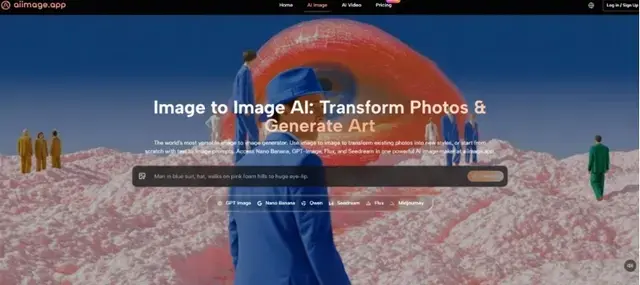
The routine is as stripped‑down as I could hope for. First, I write a prompt that outlines the subject, style, composition, and mood, often copying phrasing from a brand style guide to maintain verbal consistency. Second, I select a model from the platform’s lineup—I alternate between GPT Image 2 for structured commercial work and other available models for more exploratory concept art. Third, I generate the image, review it, and either download it immediately or save it for later access. The lack of watermarks and the site’s claim of full commercial rights remove a negotiation step that had previously eaten into my publishing workflow.
The limitations are worth stating plainly. ToImage AI doesn’t offer the kind of layered in‑painting canvas that Adobe Firefly provides, so if you need to surgically edit a generated image, you’ll still need a secondary tool. Its video generation, while functional, isn’t yet at the level where I’d rely on it for client‑facing motion graphics. And the model selection could use more explicit guidance on what each variant optimizes for, because I occasionally picked the wrong one and had to regenerate. It fits marketers, content creators, and small agencies who prioritize reliability and speed over artistic exploration. If your work involves weekly newsletter images, social media carousels, and pitch deck visuals, the fit is natural. If you’re a fine‑art photographer exploring surrealism, you might still prefer Midjourney’s aesthetic range.
Staying Installed After the Honeymoon
The test of any tool isn’t the first week of infatuation but the moment you consider replacing it and realize you can’t justify the switch. After six months, ToImage AI occupies that space in my toolkit. It hasn’t produced my single favorite image—that honor probably belongs to a Midjourney generation I made on a leisurely Saturday. But it has produced thousands of images that shipped on time, matched the brand guide, and didn’t require a disclaimer. In the economy of daily content creation, that’s a lot more valuable than a screenshot you show your friends.