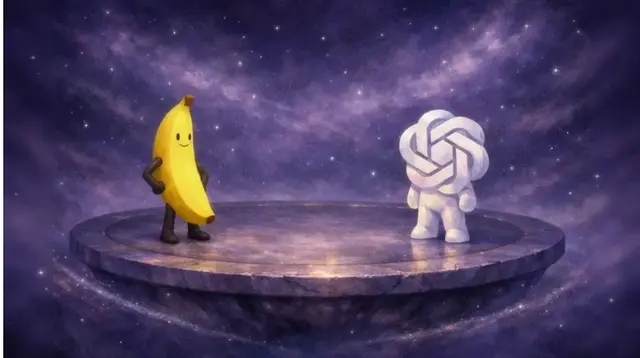
GPT Image 2 Lands on a Free Platform Without a Paywall
A quiet shift happened in the AI image generation space without much fanfare. OpenAI released GPT Image 2 — officially named ChatGPT Images 2.0 — and the model immediately claimed the top spot across every Image Arena leaderboard, posting a text-to-image score of 1512 that outpaced the second-place contender by a margin of over 240 points[reference:0][reference:1]. Yet for many creators who do not operate within the ChatGPT interface or hold a paid subscription, accessing the model meant waiting for API availability or navigating third-party workarounds. The problem is a familiar one: a genuinely capable image model arrives, but the route to trying it without commitment remains narrow.
That narrow path has widened. What was not widely expected is that the model is already available on platforms offering completely free access without a sign-up requirement. One such platform lets anyone upload an image, type a short instruction, and have GPT Image 2 generate a result in seconds — no API key, no subscription, no credit card. For designers, product photographers, and content creators who want to test whether the model’s well-documented text rendering and compositional strengths hold up under their own workflows, this access point changes the equation from “should I pay to try this” to “let me see what it can do right now.”
In this article, I will walk through what makes GPT Image 2 architecturally different from earlier image models, which specific capabilities surface when you use it through a free platform, and where the experience genuinely impresses versus where it still needs careful human judgment.
What GPT Image 2 Brings That Older Generators Could Not
GPT Image 2 is not a minor refinement of previous diffusion-based systems. OpenAI shifted the generation architecture into the same multimodal transformer logic that powers GPT-4o, meaning the model sees text and image tokens inside a single representation space rather than translating a prompt into a separate visual pipeline[reference:2][reference:3]. In practice, that architectural choice shows up in three immediately noticeable ways.
Text Rendering That No Longer Falls Apart
Text inside generated images has been the persistent weak point of image models for years. Diffusion-based generators treated letters as texture, which is why AI-generated posters from 2024 were littered with garbled alphabets and nonsensical labels. GPT Image 2 encodes text tokens structurally — it “knows” a letter is a letter — and as a result, output containing signage, UI elements, product labels, and multilingual scripts holds together in a way that feels closer to layout software than to a statistical approximation. Independent testing reports text rendering accuracy jumping from roughly 90–95% in previous models to approximately 99% in GPT Image 2[reference:4].
That number is encouraging, though I would not treat it as a guarantee. In my own runs, English-language text appeared crisp and correctly spelled in most cases, while non-Latin scripts — Japanese, Korean, Hindi — were rendered with visibly improved accuracy but still occasionally drifted on longer passages. The point is less about perfection and more about crossing a usability threshold: for the first time, AI-generated text in images can be read without squinting.
Thinking Mode and Multi-Image Consistency
One of the less obvious but practically useful additions is the model’s “thinking” capability. When enabled, GPT Image 2 can search the web for real-time information, generate multiple distinct images from a single prompt, and maintain consistent characters, objects, and styles across a series of outputs[reference:5][reference:6]. This is not a gimmick. For anyone producing a set of social assets that all need the same product mockup in different contexts, or storyboards that require the same character across frames, the consistency alone saves hours of manual post-processing.
The trade-off is generation time. Complex prompts with thinking enabled can take several minutes to complete, and the knowledge cutoff sits at December 2025, so requests involving real-time events after that date rely on web search integration rather than training data[reference:7][reference:8].
Flexible Aspect Ratios and Higher Resolution Ceilings
The model supports output ranging from 3:1 ultrawide to 1:3 tall compositions, with native resolution reaching 4096×4096 pixels[reference:9][reference:10]. For professional use cases — a wide banner for a website hero section, a tall poster for a subway advertisement — this flexibility means cropping and upscaling are less necessary, and the generation starts closer to its final format.
Running GPT Image 2 Without an Account or Subscription
The platform hosting free GPT Image 2 generation operates on a model-router principle rather than locking users into a single engine. This matters because the strength of GPT Image 2 — strong text handling, photorealism, layout reasoning — complements what other models on the same platform do well.
A Free Tier That Covers Real Use Cases
The free plan allows image generation and editing without registration. The outputs can be used for commercial purposes, which is a practical detail for creators producing client work or monetized content. There is no ambiguity about ownership baked into the terms. Paid tiers exist for those who need higher volume or priority processing, but the free tier is not a time-limited trial with a hidden expiration date.
That said, free access does imply some constraints. During peak usage periods, generation queues may slow, and output resolution or batch sizes may be capped. These are trade-offs worth acknowledging: this is not an unlimited production pipeline, but it is a functional proving ground for testing whether the model fits your workflow before committing any budget.
How GPT Image 2 Compares to Other Generators
The table below positions Image to Image against common alternatives based on public benchmarks and hands-on reports, focusing on dimensions that affect practical creative work.
| Capability | GPT Image 2 | Nano Banana 2 | Midjourney V7 |
| Text rendering accuracy | ~99%, multilingual scripts supported | Strong, but trails in dense typography tests | Adequate for short labels, struggles with paragraphs |
| Arena text-to-image score | 1512 (ranked 1st) | 1270 (ranked 2nd) | Not qualifying for top-tier text rendering benchmarks |
| Image editing & iterative refinement | Native inpainting and multi-turn instruction following | Limited iterative editing, leaning toward single-generation | Strong aesthetic iteration but weak on precise element control |
| Aspect ratio range | 3:1 to 1:3, fully flexible | Limited to a narrower set of common ratios | Supports wide ratios but with less layout precision |
| Knowledge integration | Web search and thinking mode for real-time references | Web search capability but without visible integration into image content | No built-in knowledge retrieval for image content |
| Best suited for | Human-in-the-loop professional workflows, text-heavy commercial assets, UI mockups | Casual creative experimentation, stylistic exploration | Artistic hero shots, concept visuals, emotive storytelling |
Two Steps That Take a Still Image Into GPT Image 2
The workflow on the platform distills to two stages that follow the natural rhythm of uploading and describing. These are the exact steps any visitor can take within seconds of landing on the page.
Step 1: Drop an Image and Watch the Platform Route It
The first action is uploading a reference image — a product shot, a sketch, a photograph, a screenshot. The platform automatically routes the job to GPT Image 2 when the task benefits from its specific strengths, such as text-heavy compositions or photorealistic edits. There is no model selector to navigate; the routing happens in the background.
Choosing a Reference That Plays to GPT Image 2 Strengths
Because GPT Image 2 excels at text rendering and layout reasoning, reference images that contain signage, labels, interfaces, or structured compositions tend to produce results that showcase the model’s advantages. A clean product photo with negative space also works well, giving the model room to reinterpret backgrounds while keeping the subject intact. In my runs, busy scenes with overlapping subjects occasionally introduced blending artefacts that required a second attempt — not a failure of the model, but a reminder that reference quality shapes output quality.
Step 2: Write a Short Instruction and Refine Once
After uploading, you type a natural-language instruction describing what you want to change or achieve. The most reliable results in my tests came from prompts that named a concrete medium or lighting condition — “poster design with bold title text” or “product catalogue layout with labelled specifications” — rather than vague adjectives. GPT Image 2 interprets these instructions more literally than some stylistic engines, which is an advantage when precision matters and a minor limitation when you want the model to take creative liberties.
Building Variants Through Lightweight Iteration
The feedback loop is fast enough that creating six or eight variants of the same base image feels like a natural exploration rather than a chore. I discarded perhaps one in four generations as slightly off — a misplaced label, a colour shift that felt unintentional — but because each retry took seconds, those misses did not interrupt creative momentum. The model’s strength is not that it eliminates iteration; it is that iteration becomes light enough to actually do.
Where GPT Image 2 Still Asks for Human Judgment
No model is without limitations, and GPT Image 2 is no exception. Being transparent about these is more useful than presenting the tool as effortless magic. During my sessions, I observed that complex multi-subject scenes sometimes produced muddy spatial relationships — a table blending into a wall, a second character appearing at an improbable scale. These are not deal-breaking failures, but they mean the model works better as a collaborative partner than as a solo operator.
Counting and object-level precision also show room for growth. When a prompt specifies “five apples on a wooden table,” the model occasionally produces four or six, especially when the scene contains additional compositional elements that compete for attention[reference:11]. For social media graphics and moodboard work, this is minor. For technical documentation or infographics that demand factual accuracy, every detail should be verified against the real data before publication.
Security and content safety boundaries are another area worth noting. Independent testing has demonstrated that the model can, in certain prompt scenarios, generate results that raise privacy or authenticity concerns — altered documents, fabricated screenshots that look convincing[reference:12]. This is not a reason to avoid the tool, but it is a reason to treat its outputs the way any capable tool should be treated: with critical review before publishing.
What the Free Access Point Actually Changes
The arrival of GPT Image 2 on a free platform reframes the conversation around AI image models. For the past two years, creators have been choosing between paid subscriptions to all-in-one tools or juggling community-hosted model instances with their own hardware limitations. When a state-of-the-art model becomes available without a paywall, the barrier shifts from financial access to creative judgment.
That shift is subtle but significant. The question is no longer “can I afford to test this” but “does the output hold up under my specific use case.” And that question can only be answered through hands-on exploration — the kind that a free platform enables without friction. What emerges from that exploration, in my experience, is not a tool that replaces careful design thinking, but one that shortens the gap between having a reference image and seeing it transformed into a usable variant worth refining further.
The model’s core value sits in reliability more than spectacle. Text stays legible. Layouts hold structure. Edits respect the original composition. Those qualities do not make for viral social media posts, but they do make for assets that can ship. For anyone whose creative work involves more than one-off experimentation, that distinction matters more than benchmark scores.